Setting up the NTP server on IP cameras is crucial for maintaining accurate time synchronization, ensuring reliable timestamps in security footage. This technical guide details the VIKYLIN PG series cameras security camera NTP setup process, following precise steps for seamless configuration.
Prerequisites
To begin the PG cameras security camera NTP setup, you will need:
- The IP address of the camera.
- Internet Explorer (IE) browser.
- Login credentials for the camera’s web interface.
Step-by-Step Guide to Set Up NTP Server
Follow these exact steps to configure the NTP server on your VIKYLIN PG Series Cameras.
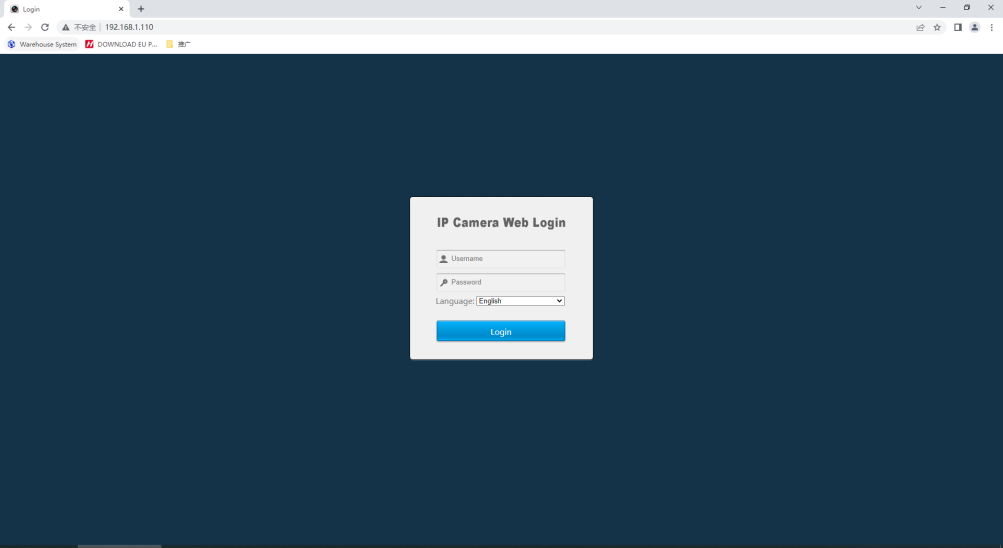
1. Open IE browser. Enter camera IP and login in camera web.
2. Click “Configuration-System-Date & Time-Update Method-NTP”.
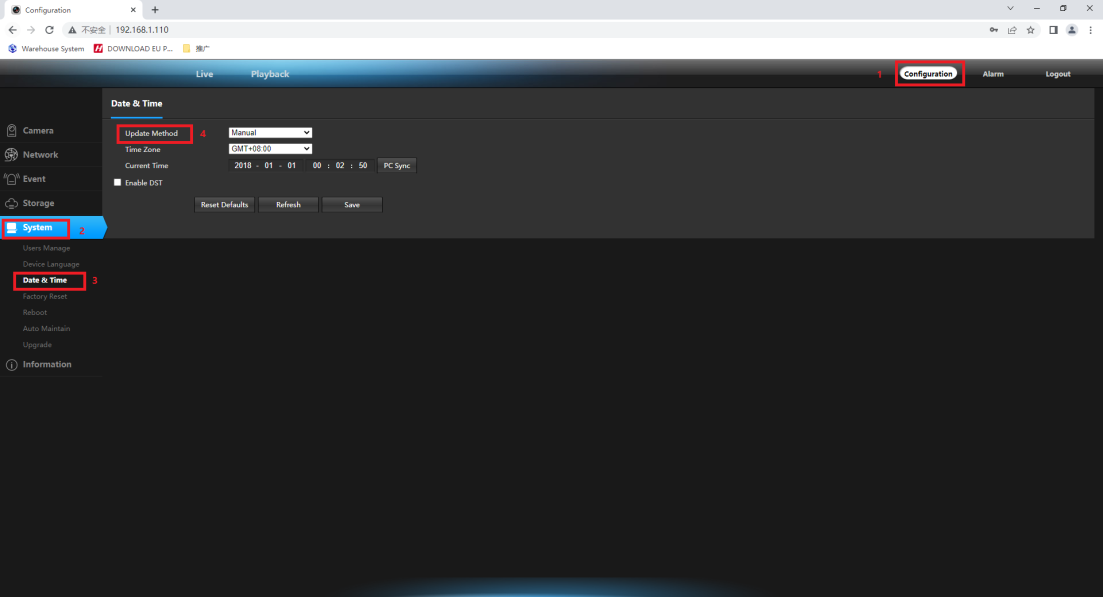
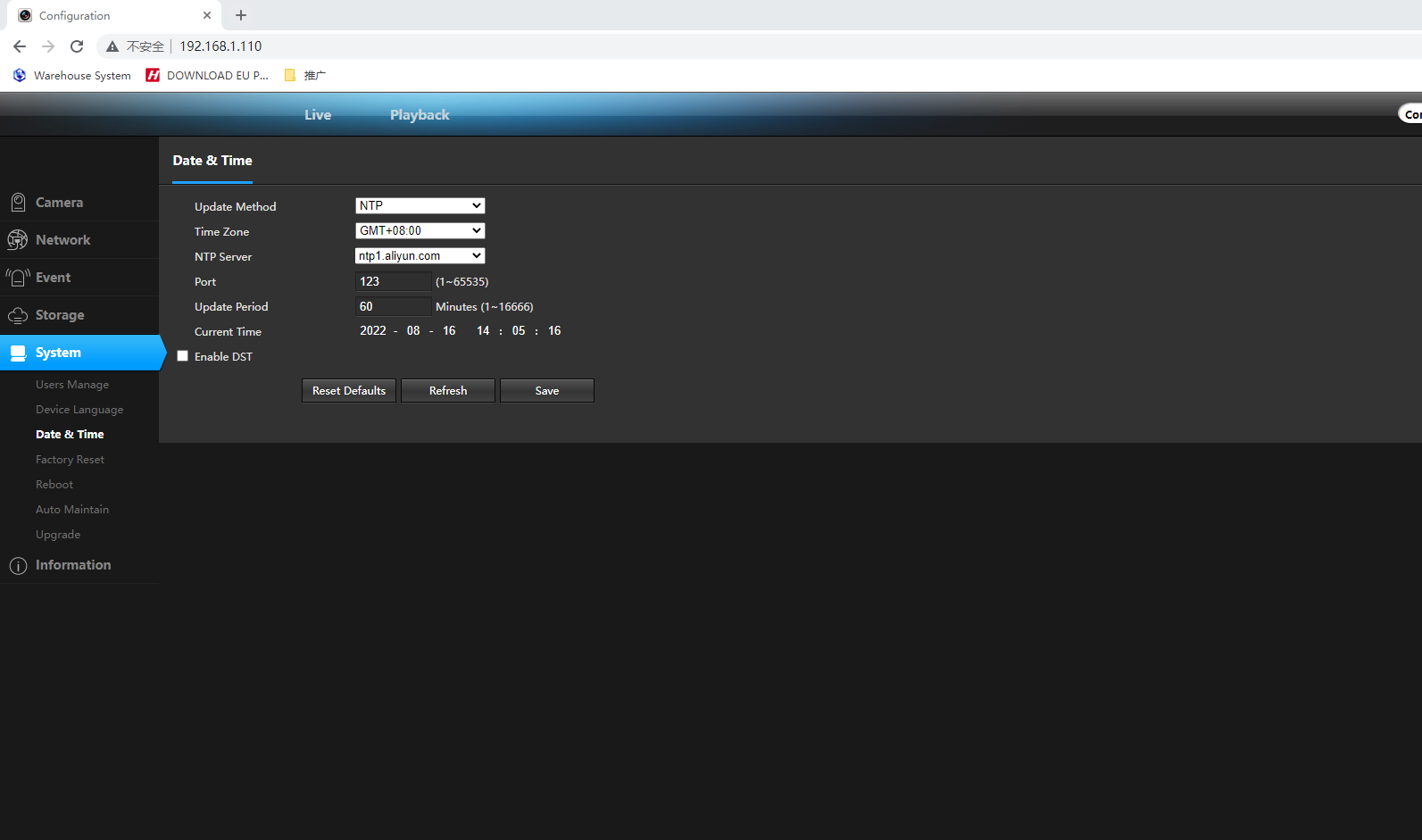
- Modify the “Time Zone”.
- Enter “NTP Server”.
- Port default 123.
- Update Period default 60 minutes.
- Click “save” to apply.
Troubleshooting Tips
If the NTP synchronization does not work:
- Confirm the camera has internet access.
- Double-check the NTP server address for accuracy.
- Ensure port 123 is not blocked by firewalls.
- Reboot the camera after applying changes.
About VIKYLIN
VIKYLIN is an authorized Dahua dealer and Hikvision distributor. We specialize in providing high-performance surveillance solutions, including the bullet cameras, ptz cameras, which feature advanced capability like NTP server integration for enhanced system accuracy and reliability.
Conclusion
By following this guide, you achieve precise time management for your surveillance needs. For any questions, product details, or price on VIKYLIN security cameras, contact VIKYLIN to inquire and get personalized support.