Setting up human detection on NVR is a simple way to boost your surveillance system’s precision. This feature leverages AI human detection camera capability to filter out irrelevant alerts, focusing only on human activity for better security outcomes in residential or commercial setups. Follow this guide for accurate configuration on PG series cameras and NVR.
Step-by-Step Instructions
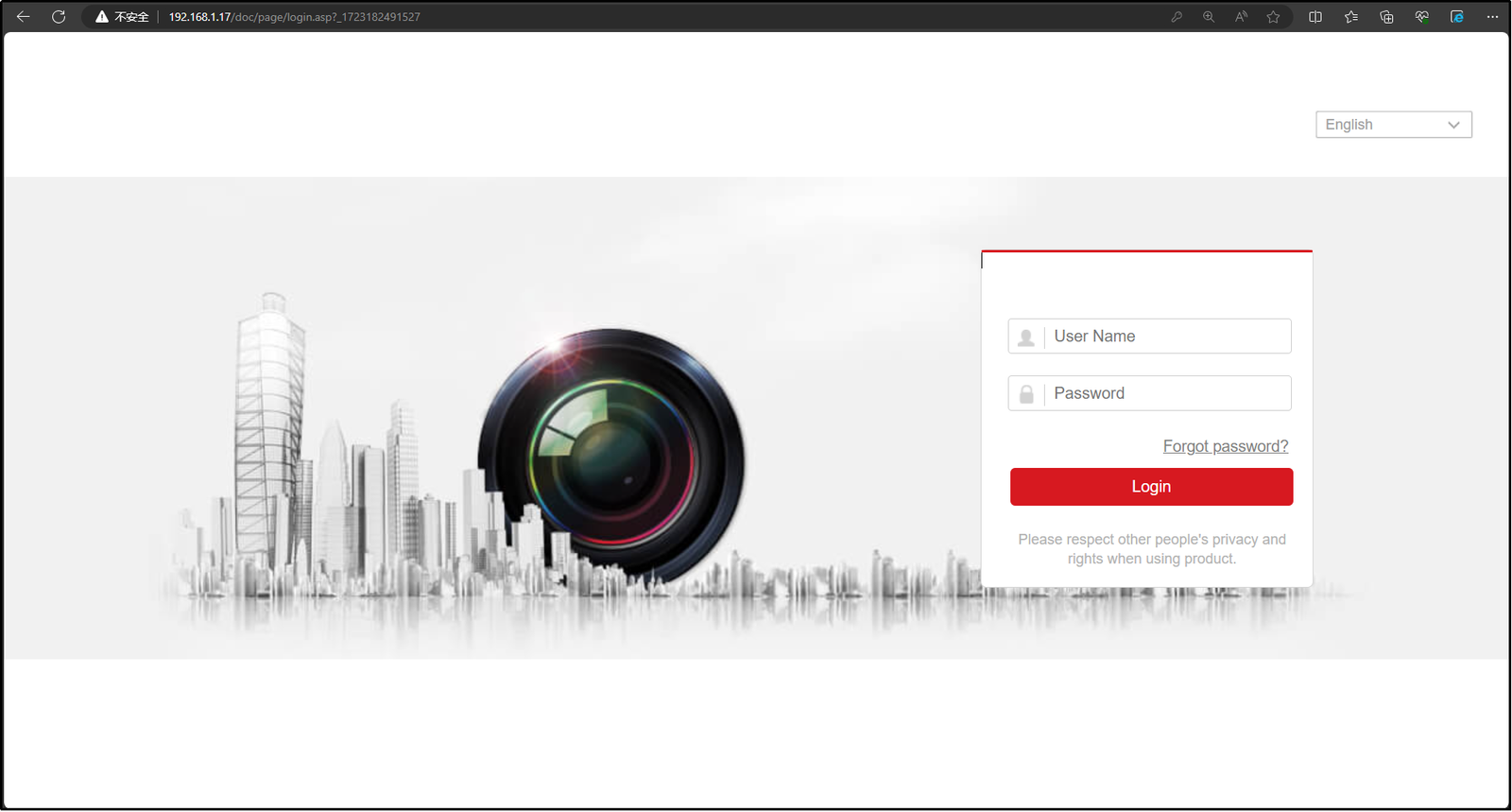
1. Open the NVR webpage to log in.
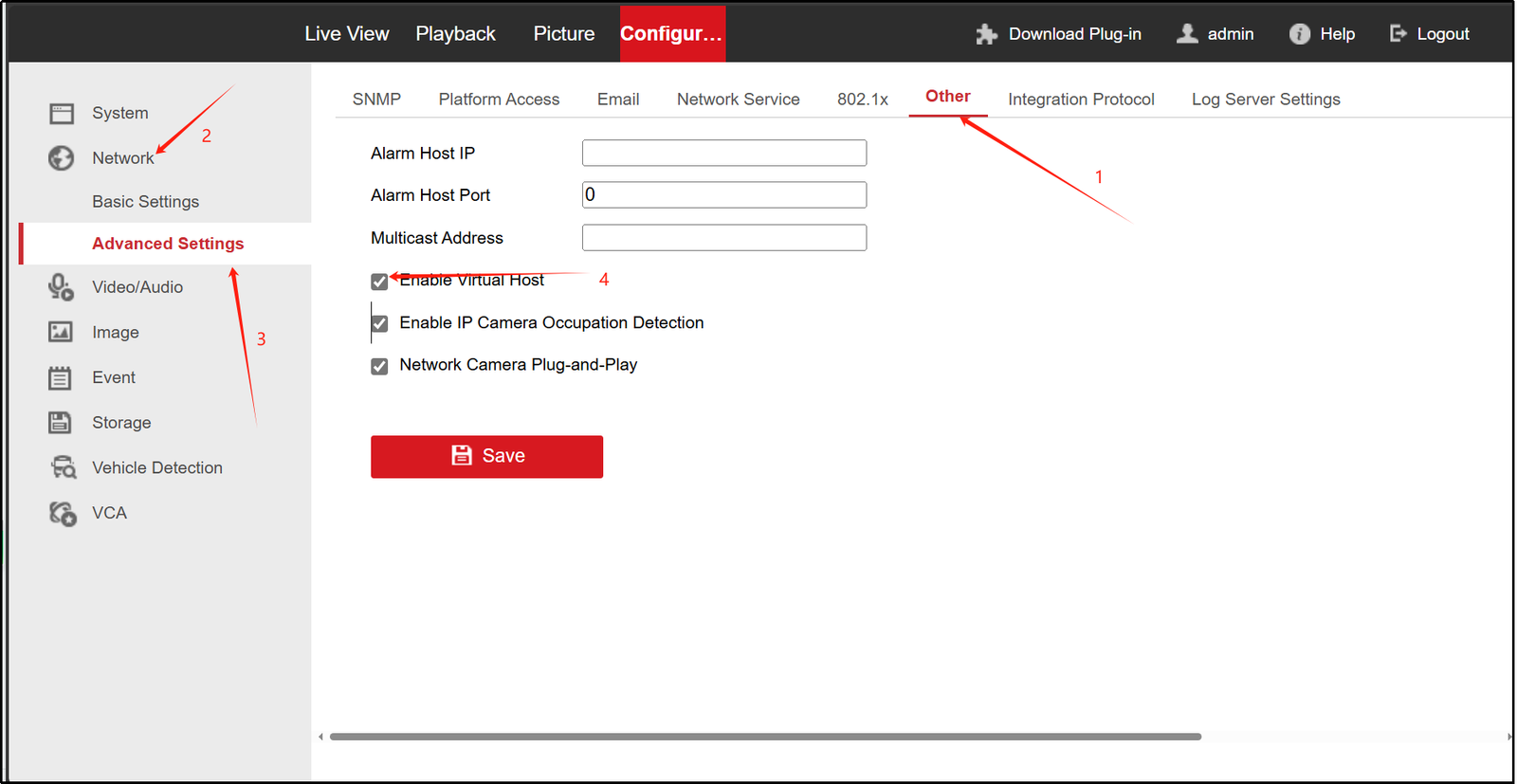
2. Click “Configuration – Network – Advanced Settings – Others” to enable virtual host.
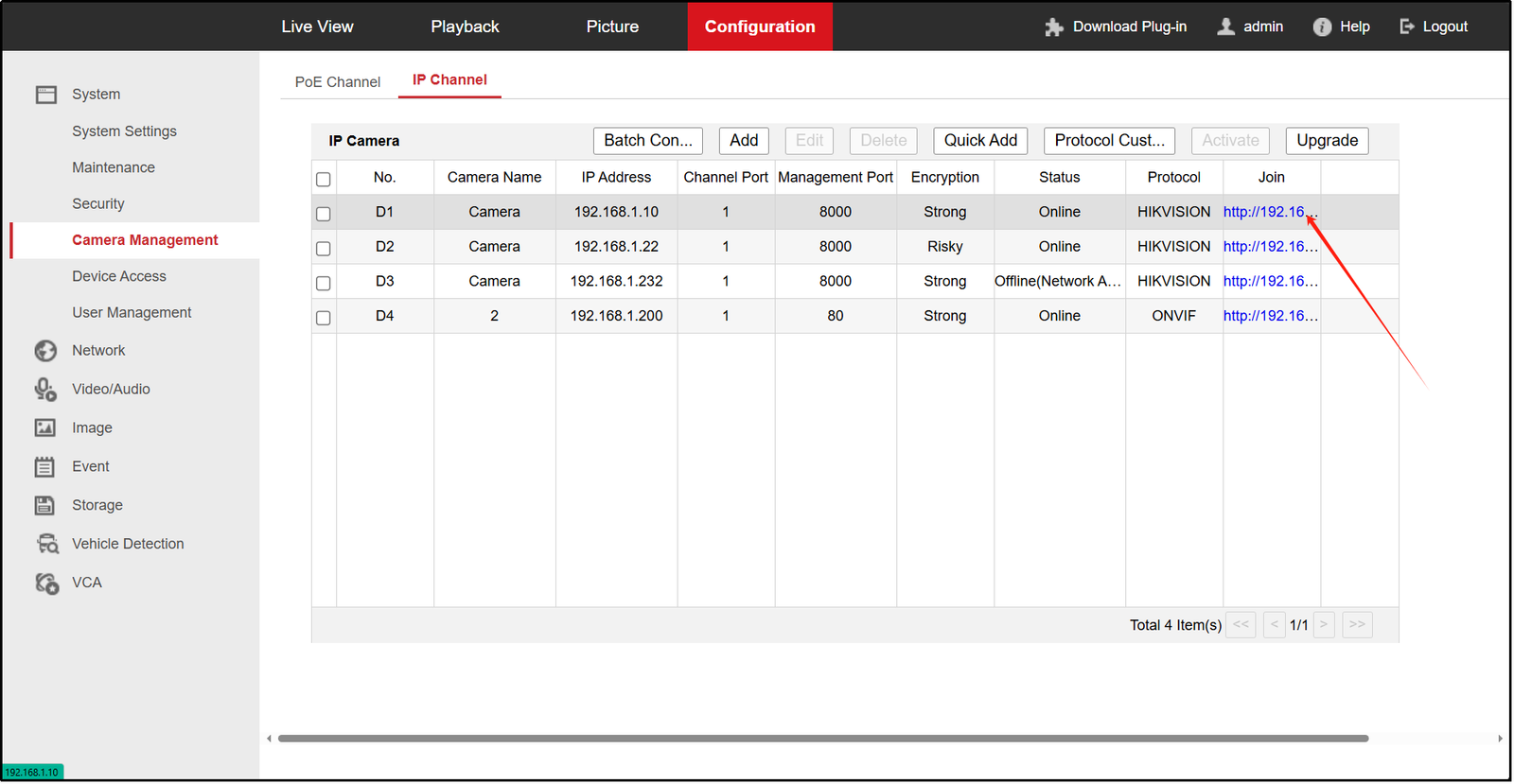
3. Click “System-Camera Management-Join” to enter the web page.
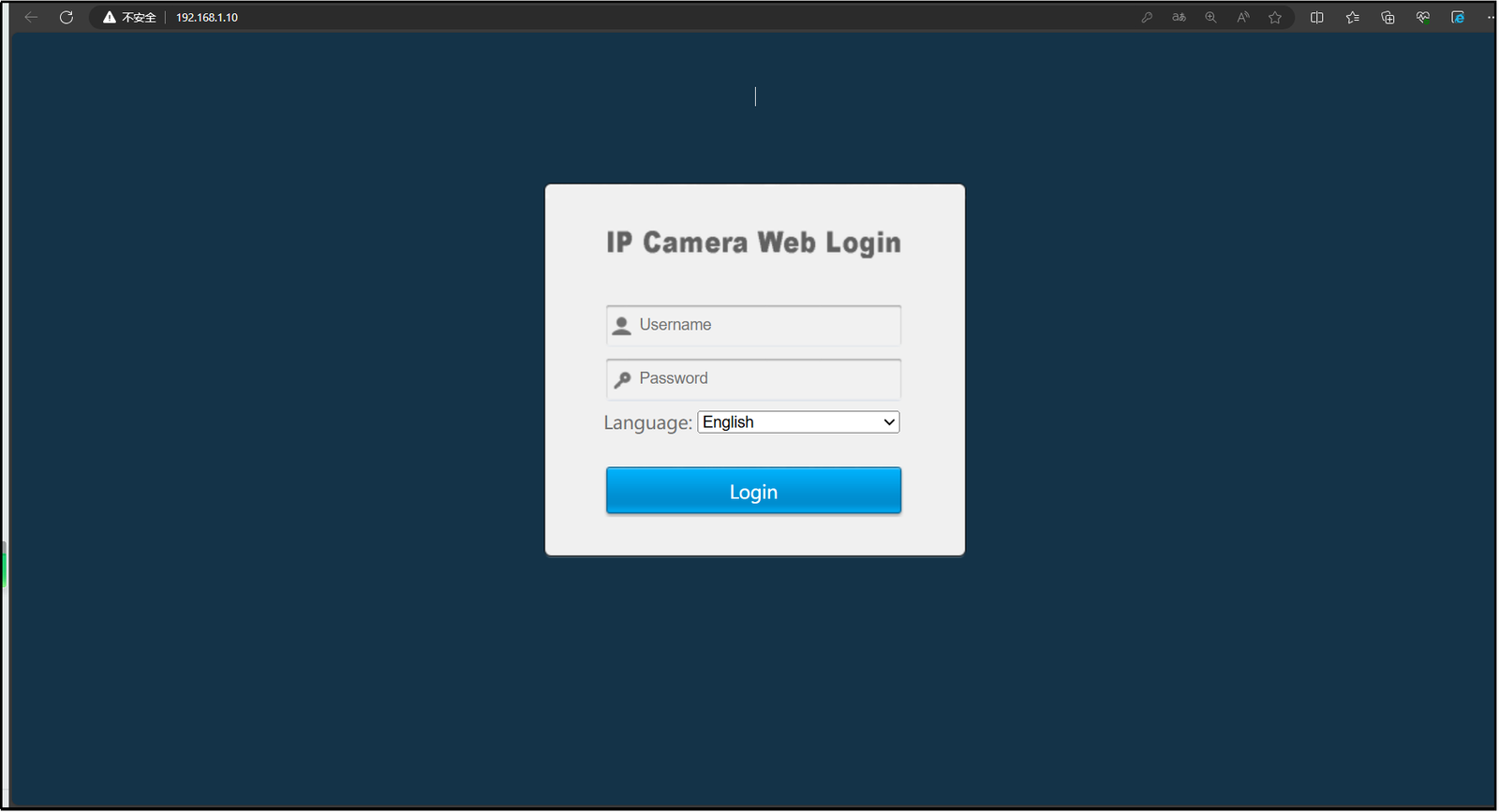
4. Log in to the camera website.
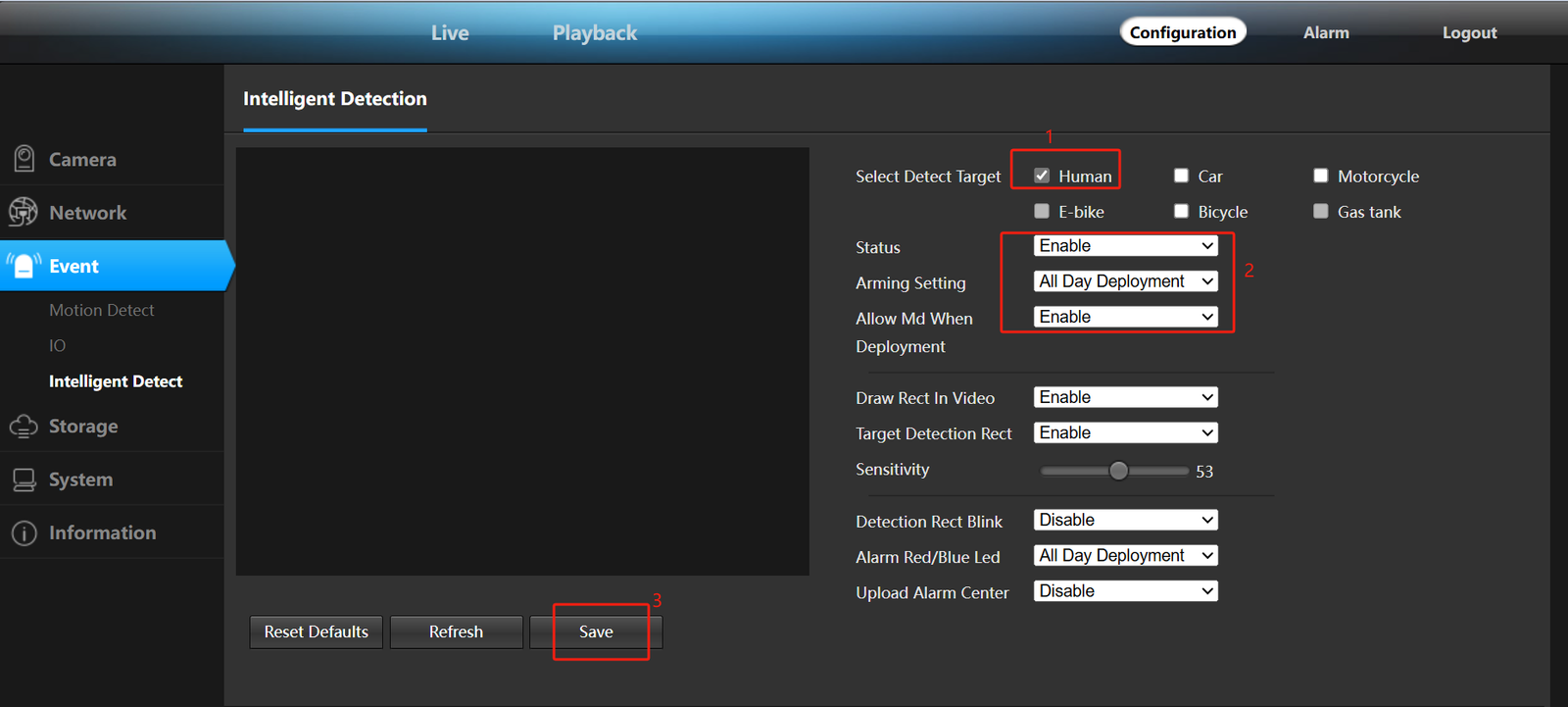
5. Click “Configuration-Event” to turn on human detection and “Day Enable” and “Night Enable”.
About VIKYLIN
VIKYLIN is a trusted security products dealer, offering high-quality CCTVcameras, Smart NVRs, and related surveillance equipment. We specialize in providing reliable surveillance solutions with expert support for setup and configuration.
Conclusion
With this setup complete, PG camera human detection on NVR ensures effective monitoring around the clock. For optimal performance, keep your CCTV cameras system updated. Contact VIKYLIN for human detection AI camera product inquiry and pricing.