Recording video directly in a TF (TransFlash) card is a convenient way to ensure you have local, accessible footage from your Hikvision IPC. Follow these simple steps to configure hikvision camera for TF card recording.
Record Video on TF Card with Hikvision IPC
Step 1: Install the TF Card
- Power Off First: Before you begin, ensure your Hikvision IPC is powered off to avoid any potential data corruption during the installation process.
- Insert the Card: Carefully insert the TF card into the designated slot on your camera. Make sure it clicks into place securely.
Step 2: Format the TF Card
- Power On and Access Configuration: Once the TF card is installed, power on your Hikvision video camera and access the camera’s configuration menu.
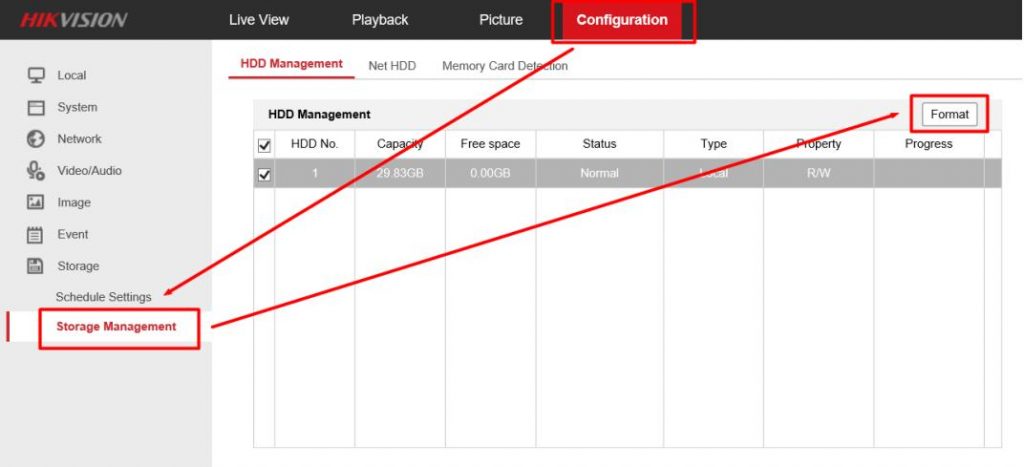
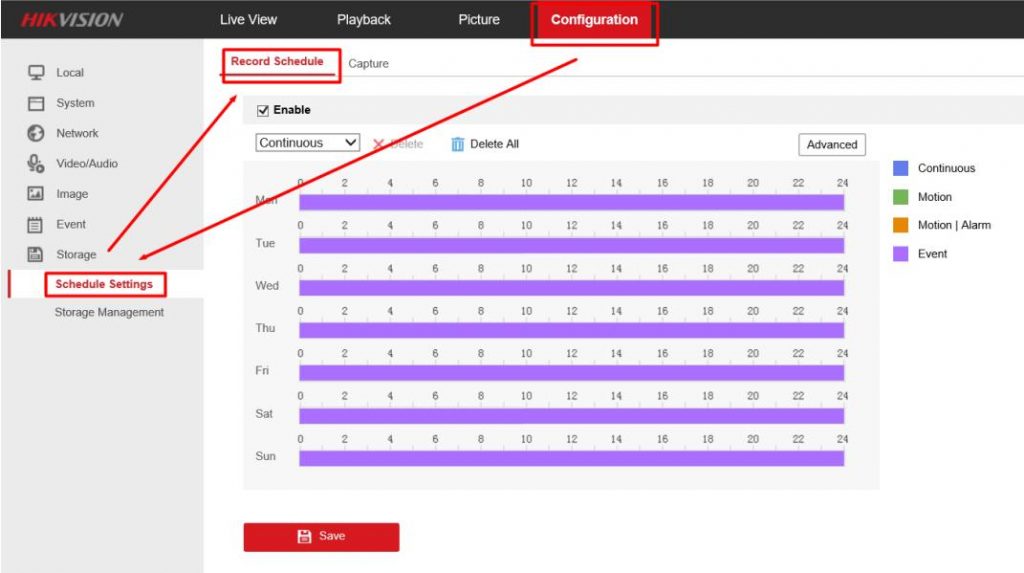
- Navigate to Storage Settings: Go to “Configuration” > “Storage” > “Storage Management.”
- Format the Card: Select the TF card and format it. This step is crucial as it prepares the card for recording and ensures compatibility with your camera.
Step 3: Set Up the Recording Schedule
- Check Card Status: After formatting, you should see the TF card status as “normal R/W.” This indicates that the card is ready for recording.
- Access Record Schedule: Navigate to the “Record Schedule” settings to define when and how your camera should record.
- Define Recording Times: Set up your recording schedule according to your needs, whether it’s continuous recording or during specific hours.
Step 4: View Your Recorded Videos
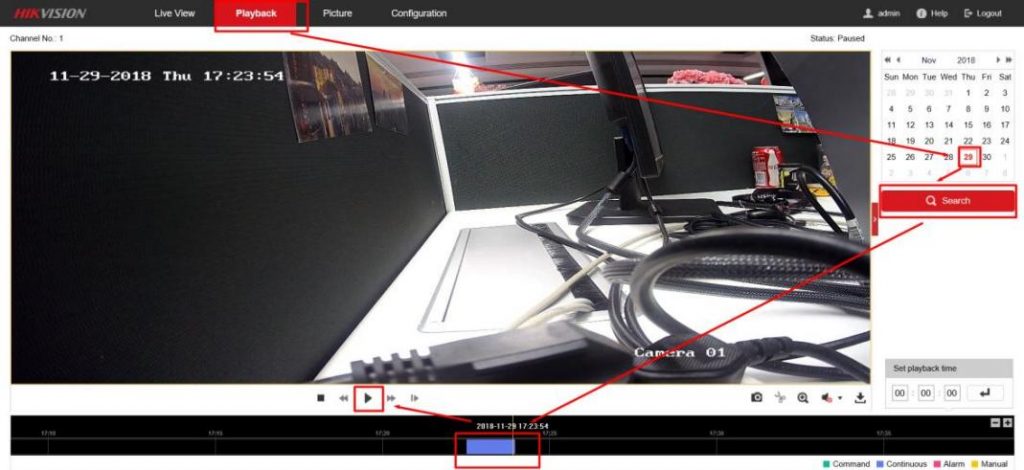
- Access Playback Interface: Go to the playback interface of your IP security camera.
- Select a Date: Choose the date for which you want to review the footage.
- Search for Recordings: Click the “Search” button, and the recording file should appear on the time bar.
- Play Your Videos: Click the play button to start viewing your recorded videos.
Conclusion
With these straightforward steps, you can easily set up Hikvision IP cameras to record video directly in a TF card. This method provides a reliable and accessible way to store your security footage. Remember to regularly check your TF card’s capacity and format it when necessary to maintain optimal recording performance.
For more detailed instructions or if you encounter any issues, refer to your Hikvision IPC’s user manual or contact VIKYLIN customer support.