Hikvision cameras are currently the most popular security cameras on the market because of their high resolution imaging quality and good stability, and have been recognized by many users. Dahua NVR is a professional video surveillance device that can storage and manage video data shooted by cameras. It also plays a very important role in the security field. So, how to add Hikvision camera to Dahua NVR? I will describe this process in detail next.
When add Hikvision security camera to a Dahua NVR, ensure that you follow the steps below to successfully complete the process:
Step 1: Activate The Hikvision Camera
Before starting, make sure that the Hikvision surveillance camera has been successfully activated.
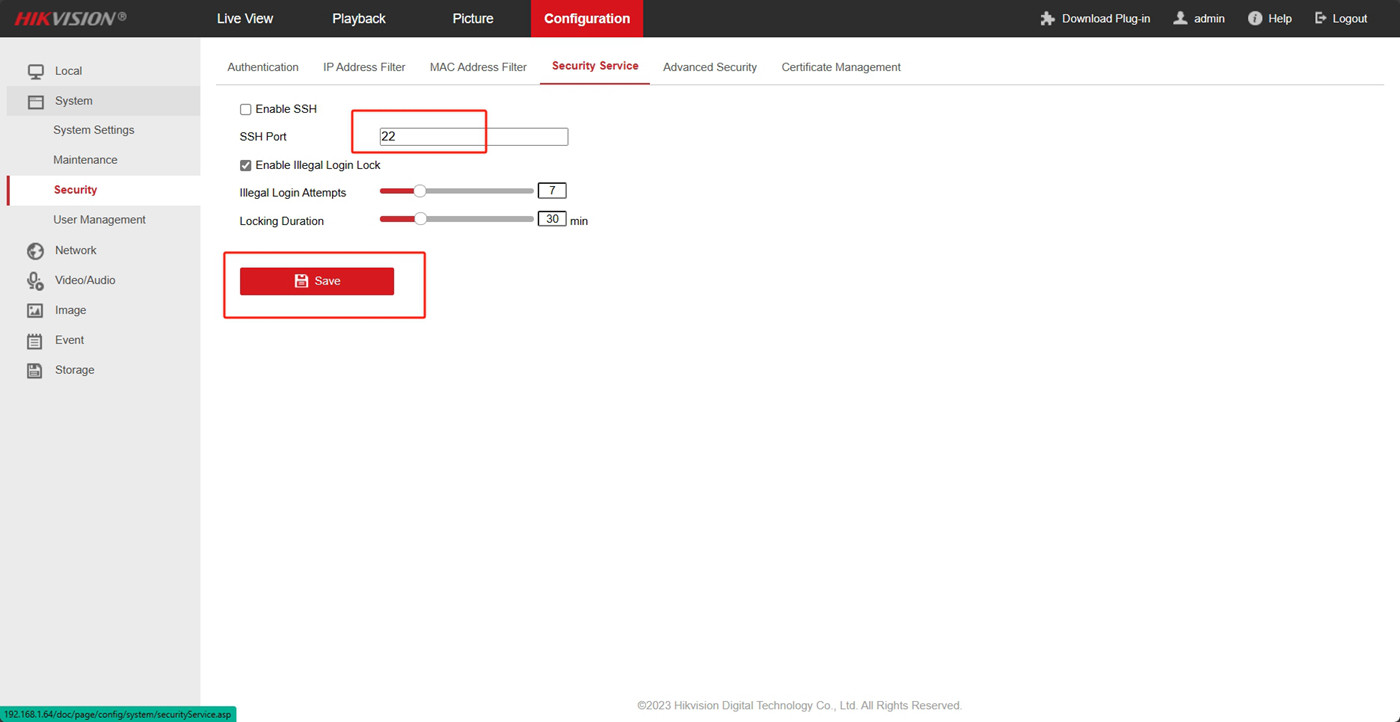
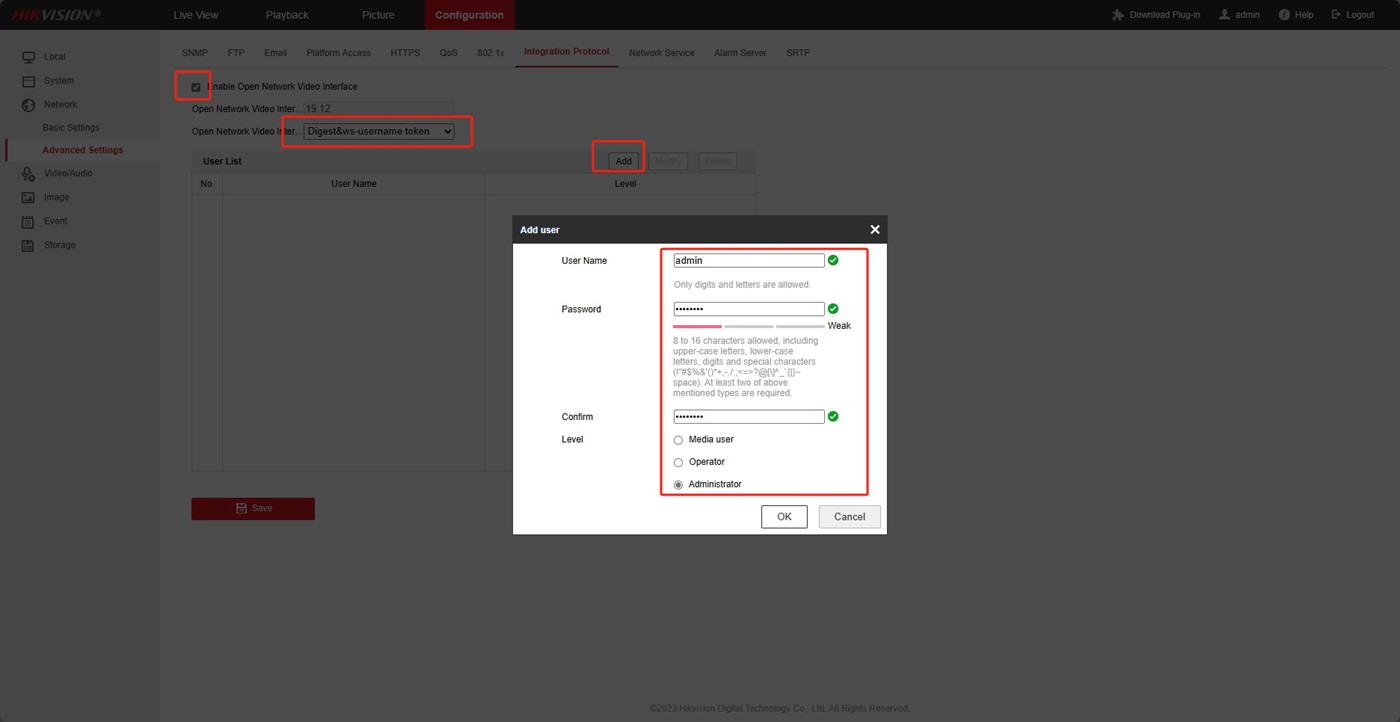
Step 2: Disable Illegal Login Lock, Enable Integration Protocol, And Create An ONVIF Account
- Disable Illegal Login Lock: In the settings of the Hik IP camera, locate and disable the illegal login lock feature. This prevents login restrictions from affecting the NVR connection.
- Enable Integration Protocol: Enable the Hikvision camera’s integration protocol, typically found in network settings or protocol settings. Make sure to select ONVIF as the protocol.
- Create ONVIF Account: In the security camera settings, create an ONVIF account with sufficient permissions so that the NVR can access the camera’s video stream.

Step 3: Activate and Login to Dahua NVR
- Activate Dahua NVR: If the Network video recorder is not yet activated, ensure to activate the device following the manufacturer’s instructions.
- Log In to NVR: Use the administrator account to log in to the Dahua NVR.
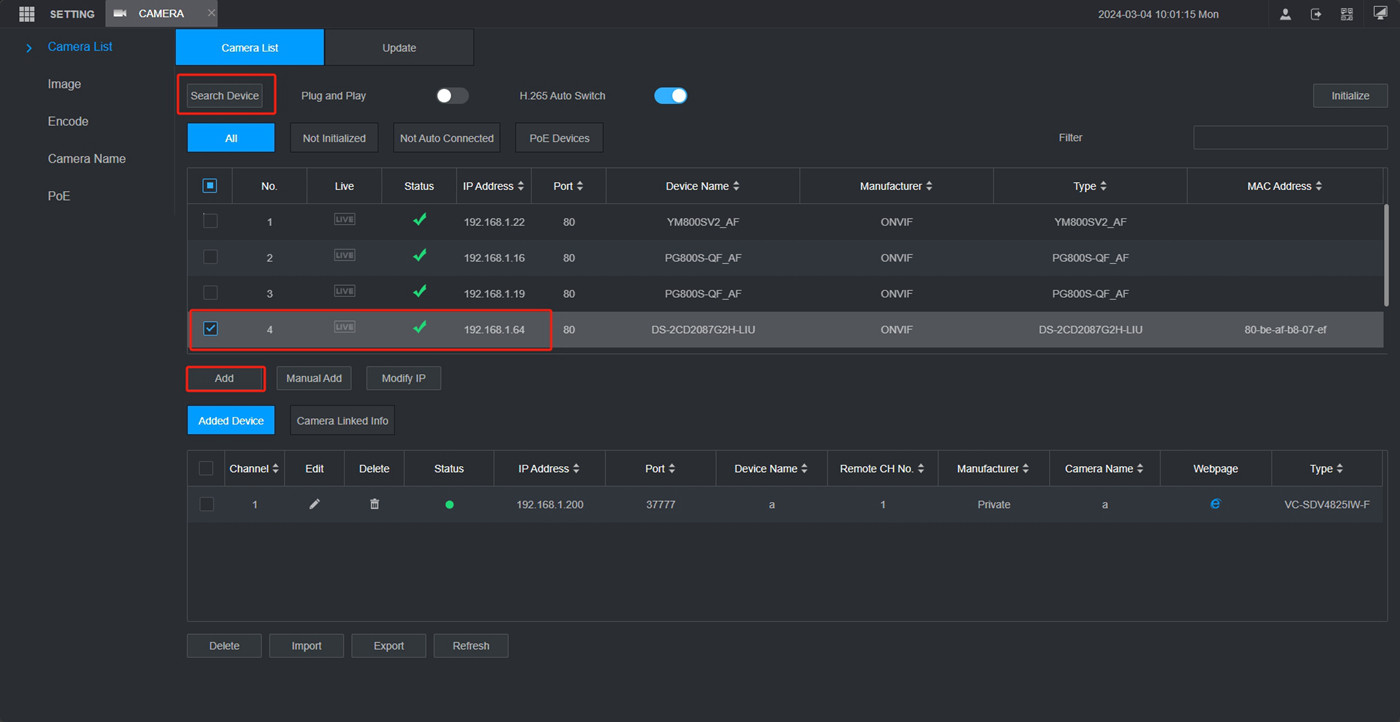
Step 4: Add Hikvision Camera To Dahua NVR Via ONVIF Protocol

Step 5: Check if Addition is Successful
- In the device management, check the list of added cameras to confirm if the Hikvision IP camera has been successfully added.
- If the camera is not online, try refreshing several times. If it still does not come online, ensure that the Hikvision camera and Dahua NVR are on the same local network.
- If the issue persists, attempt to synchronize the time settings of the IP security camera and Dahua NVR, then try adding it again.

By following the steps below, you should be able to successfully adding Hikvision camera to Dahua NVR system and integrate video streaming. But remember to always back up important data before making any changes, and always refer to your device’s user manual to ensure accuracy and safety of operation.
If you encounter other unfamiliar operations during the process of connect Hikvision camera to Dahua NVR system or have any questions about the operation of the security products, you can get help and support in the following ways.
Contact VIKYLIN customer service: You could contact us by phone, email or online chat, and our techniacl colleague will be happy to answer your questions.
- Email: global@vikylin.com
- Phone: +1(203)6770978
Follow our social media channels: We will regularly post and updates the latest information and security camera operating tips.