Configuring PTZ preset and patrol functions is essential for efficient camera monitoring. By properly setting PTZ camera preset and patrol, users can quickly move the camera to fixed positions or enable automatic movement between multiple preset points. This guide explains how to configure PTZ preset and patrol in a clear and accurate way, helping installers and system operators improve daily surveillance efficiency.
What Is a PTZ Preset?
A preset is a predefined image position saved in the PTZ camera. Once a preset is set, you can quickly move the camera to that exact position by calling the preset, without manually adjusting pan, tilt, or zoom.
How to Configure a PTZ Preset
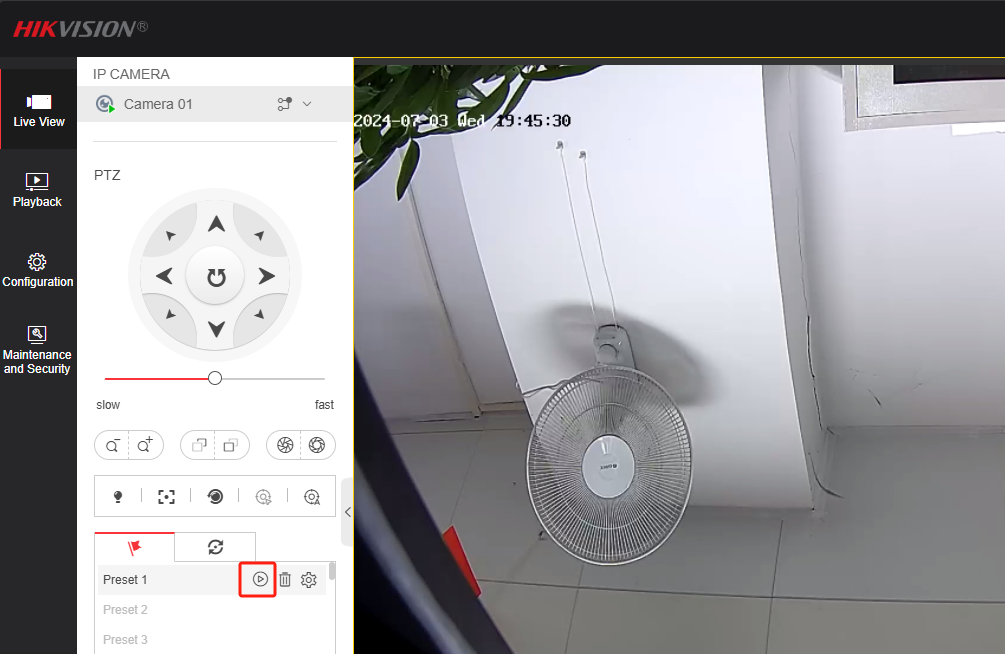
- Enter the Live View – PTZ interface.
- Select the preset point you want to set, then left-click Set.
- Click Call to move the PTZ camera to the position corresponding to the selected preset.
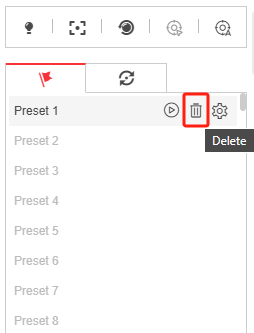
- Click Delete to remove the selected preset if it is no longer needed.
Using PTZ preset and patrol correctly allows faster access to important monitoring areas and reduces manual operation.
What Is a PTZ Patrol?
A patrol is a memorized sequence of preset positions. The PTZ camera automatically moves between these preset points according to the configured speed and time. One patrol can be configured with up to 32 presets.
How to Configure PTZ Patrol?
- Enter the Live View – PTZ interface and create several presets first.
- Select the Patrol Path you want to configure, then left-click Set.
- In the pop-up interface, click the green “+” icon to add presets.
- Configure the Speed and Time for each preset, then click OK to save the settings.
- Click Start to call the patrol. The PTZ camera will move between preset points according to the configuration.
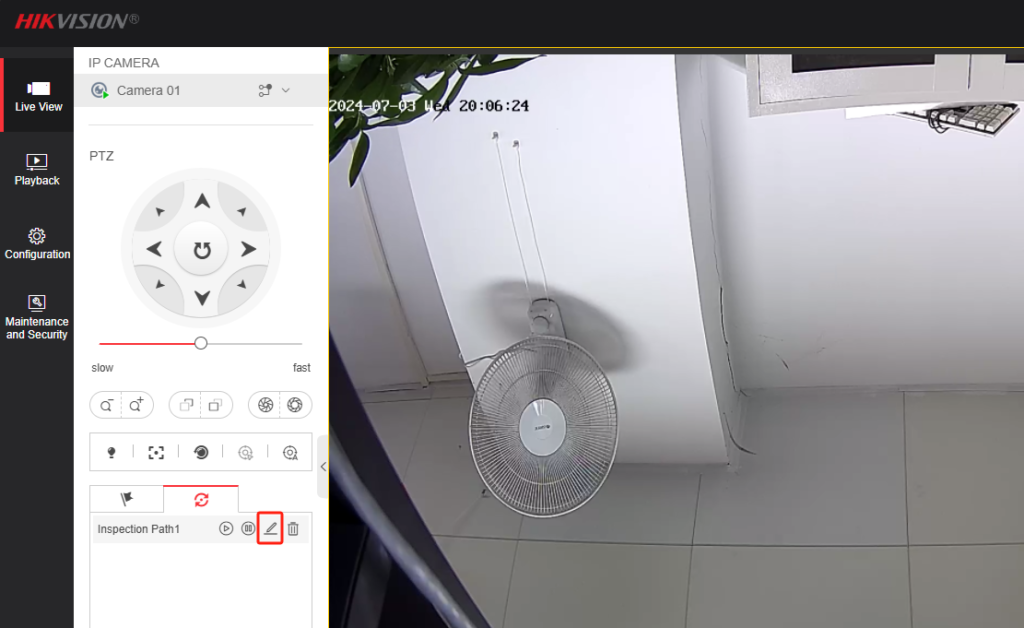
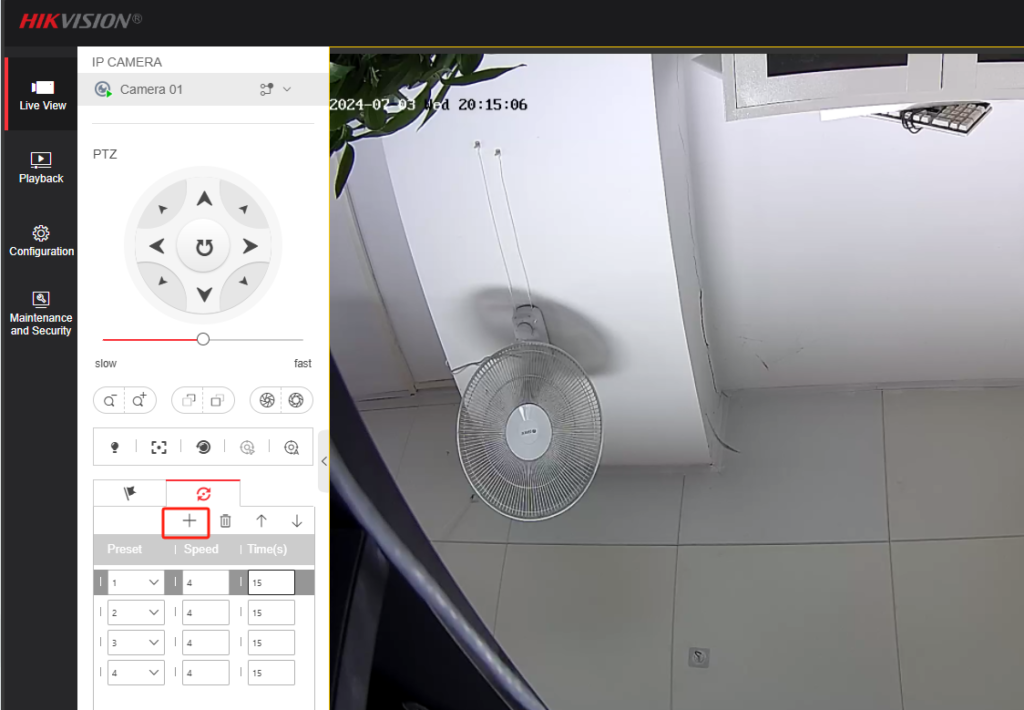
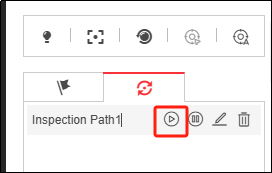
Once configured, PTZ preset and patrol enable automated camera movement and consistent area coverage without manual control.
Why PTZ Preset and Patrol Matter in Surveillance?
Correct PTZ preset and patrol configuration helps:
- Improve monitoring efficiency
- Ensure consistent coverage of key areas
- Reduce operator workload
- Enhance overall system reliability
These functions are widely used in commercial buildings, warehouses, parking areas, and perimeter security systems.
About VIKYLIN
VIKYLIN is a professional security camera supplier specializing in IP cameras and PTZ surveillance solutions. We provide stable, reliable PTZ cameras designed for professional monitoring environments. Our team supports customers with product selection, technical assistance, and efficient logistics services to meet various project requirements.
Conclusion
Properly configuring PTZ preset and patrol is a simple but powerful way to maximize PTZ camera performance. By following the exact steps outlined above, you can ensure accurate camera positioning and smooth automatic patrol operation.
If you are looking for reliable PTZ cameras or need product pricing and technical consultation, contact VIKYLIN today. Our team is ready to help you choose the right PTZ solution for your project.