Motion detection is one of the most essential features of a intelligent security camera system. In this guide, we explain how to set up VIKYLIN PG Series security camera motion detection through the web interface, helping CCTV installers, security integrators, and end users complete the setup efficiently.
Before configuring motion detection, please ensure the following:
- The PG Series surveillance camera is powered on
- A computer and the camera are connected to the same network
- A standard web browser is available
- AjDevTools search software is installed on the computer
Step 1: Connect the Camera and Configure the IP Address
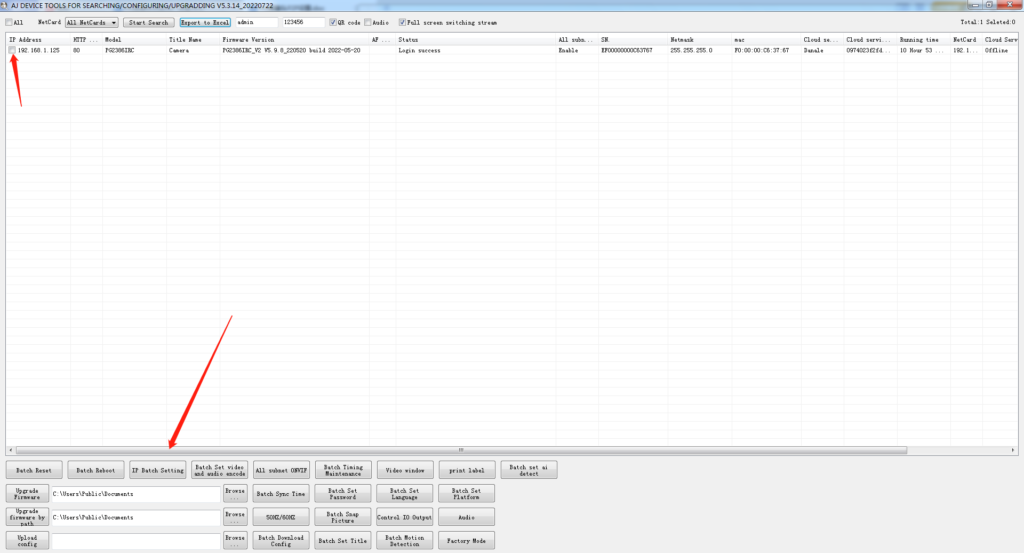
First, connect the security camera to a switch or router using a network cable. Then connect the computer to the same switch or router. Next, download and open AjDevTools on the computer. Use the software to search for the camera on the network. Select the camera and modify the camera IP address so that it is on the same network segment as the computer. This step is required to ensure normal access to the camera through a web browser.
Step 2: Log In to the Camera via Web Browser
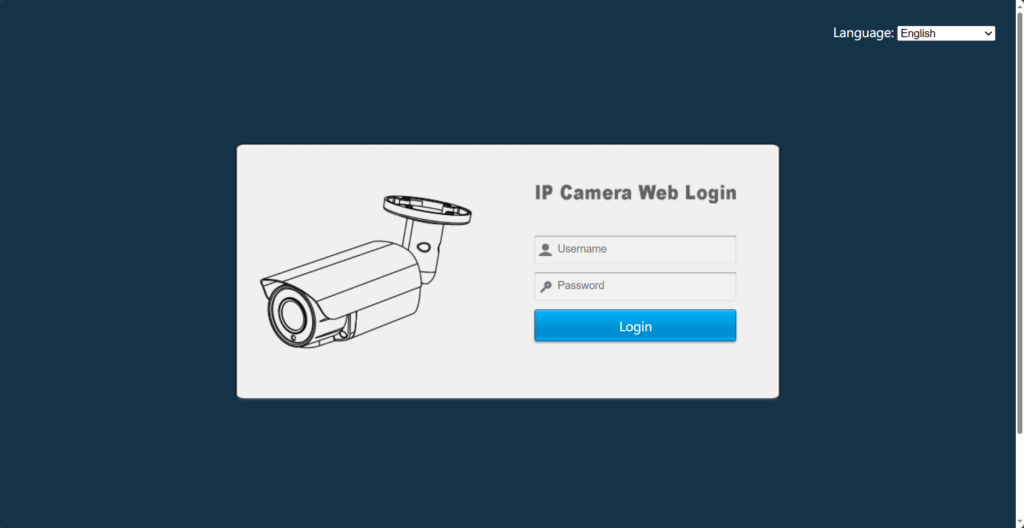
Open a web browser on the computer and enter the IP address of the camera in the address bar. You will be directed to the camera’s web login interface.
Use the default login credentials:
- Username: admin
- Password: 123456
Step 3: Enable Motion Detection
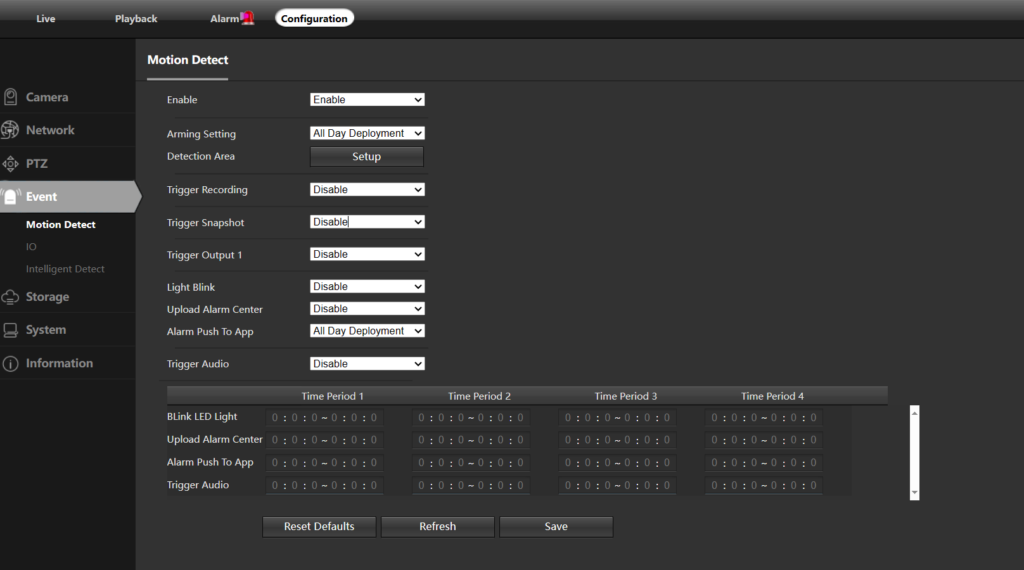
After logging in, click Settings – Events – Motion Detection and enable it. Set time, region and save.
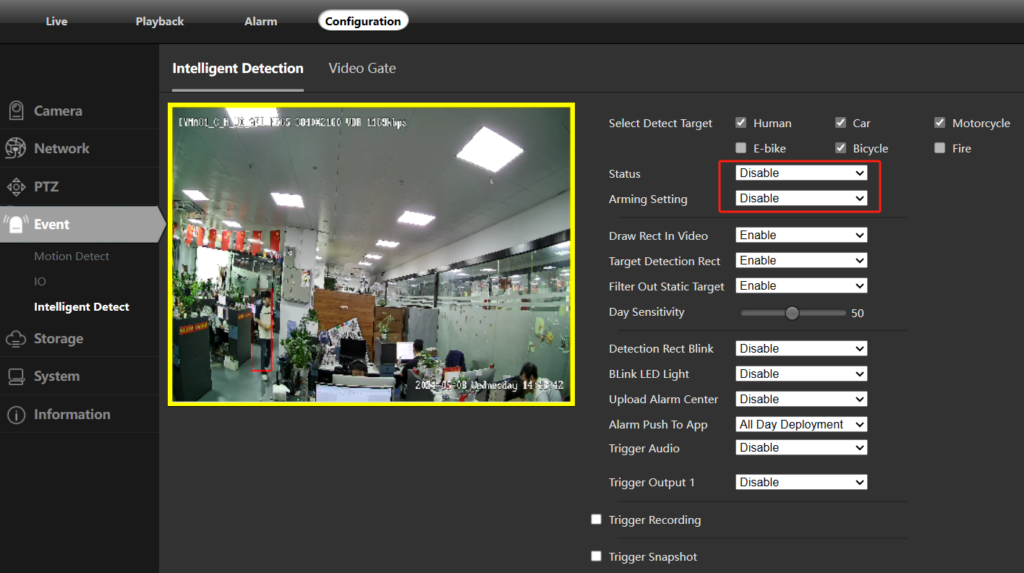
Step 4: Disable Intelligent Detect
After enabling motion detection, locate the Intelligent Detect option and disable it. This ensures that only standard motion detection is active, avoiding conflicts between detection functions.
About VIKYLIN
VIKYLIN is a professional security camera brand specializing in reliable and cost-effective video surveillance products. We focus on delivering stable hardware, clear documentation, and responsive technical support for global partners.
Our product lineup includes IP cameras, PTZ cameras, and customized surveillance solutions for residential, commercial, and project-based applications. With VIKYLIN, customers benefit from consistent quality, flexible OEM services, and dependable after-sales support.
Conclusion
Proper motion detection configuration is critical for achieving dependable performance from security cameras. By following the steps above, users can accurately enable motion detection through the web interface while avoiding unnecessary system conflicts.
If you need more technical support or would like to request pricing for VIKYLIN security cameras, please contact VIKYLIN team directly. We are ready to support your project and provide professional product recommendations.