PG series security camera web access is a fundamental operation during the initial installation and commissioning of IP PoE surveillance systems. By using AjDevTools or SADP software to search devices and modify IP addresses, users can successfully access the camera through a web browser for live view and configuration.
This guide strictly follows the official operation process and provides a clear, accurate explanation of each step to help installers and system integrators complete the security camera web access setup efficiently and correctly.
Step 1: Install AjDevTools or SADP
On the computer, download and install AjDevTools or SADP software.
Step 2: Search for the Network Camera
After installation,open the software and click the Start Search. The software will automatically search for network cameras connected to the local network.

Step 3: Modify the IP Address of the Camera
The IP address of the camera must be modified to be consistent with the network segment of the PC.
Setting Method
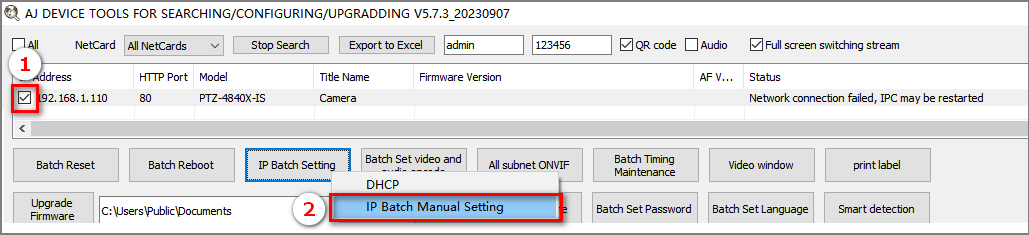
① Select the IP address of the camera
② Click IP Batch Manual Setting
③ Modify the IP address of the camera to be in the same network segment as the IP address of the NetCard
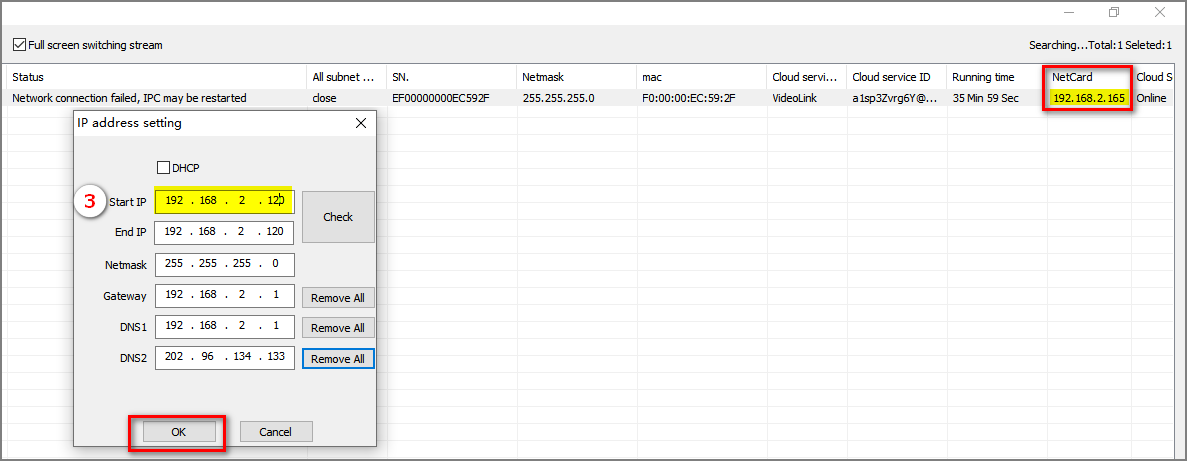
④ When the Firmware Version displays “Successfully modified”, the IP address has been set successfully

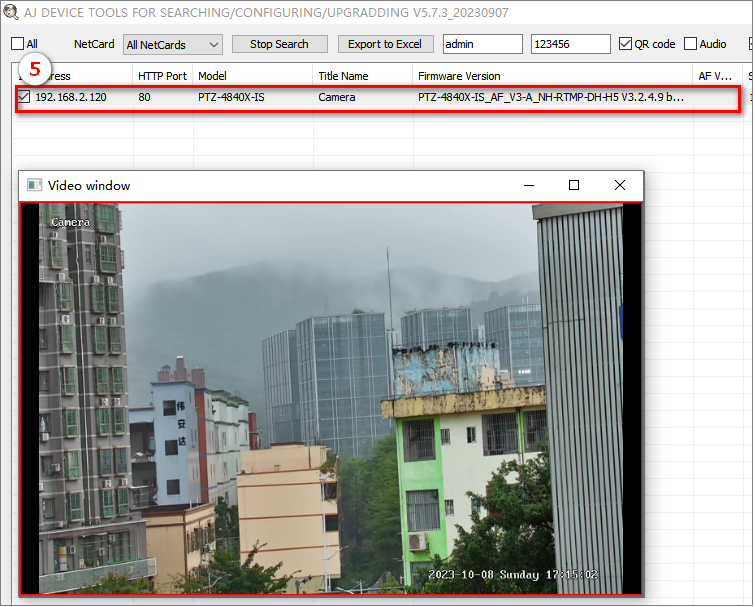
⑤ Click the left mouse button continuously on the camera device to view the image of the camera. This confirms that the camera is online and functioning properly.
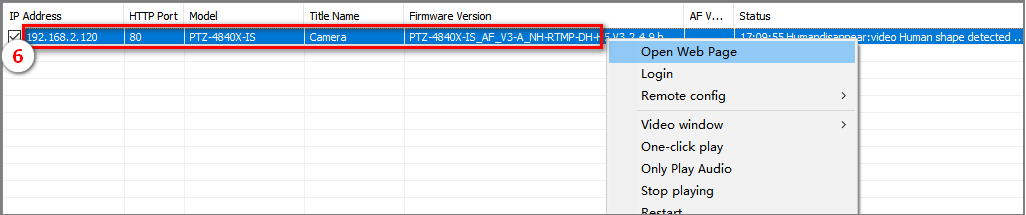
⑥ If you want to configure the camera,select the device and click the right mouse button, click te Remote config or Open Web Page
Notes
- Ensure the PC and camera are connected to the same local network
- The camera IP address must match the PC network segment
- AjDevTools or SADP is required for initial IP configuration
About VIKYLIN
VIKYLIN is a professional CCTV camera manufacturer, providing Hikvision and Dahua compatible IP surveillance products. As an experienced security solution provider, VIKYLIN offers:
- PG Series network cameras
- OEM & ODM customization (logo, firmware, packaging)
- Stable supply for distributors and system integrators
- Professional technical support and documentation
VIKYLIN products are widely used in residential, commercial, and industrial security projects worldwide.
Conclusion
By strictly following this guide for access to the PG series network camera by web browsers, users can quickly search devices, modify IP addresses, preview images, and open the camera web interface for configuration. For PG Series network cameras bulk purchasing inquiry, please contact VIKYLIN for professional support and competitive pricing.