This technical guide explains how to complete a security camera email alerts setup for VIKYLIN PG Series cameras, ensuring accuracy, security, and full compatibility. All procedures strictly follow official Gmail security requirements and actual camera configuration logic, making this guide reliable for CCTV installers, monitoring system integrators, and CCTV security distributors.
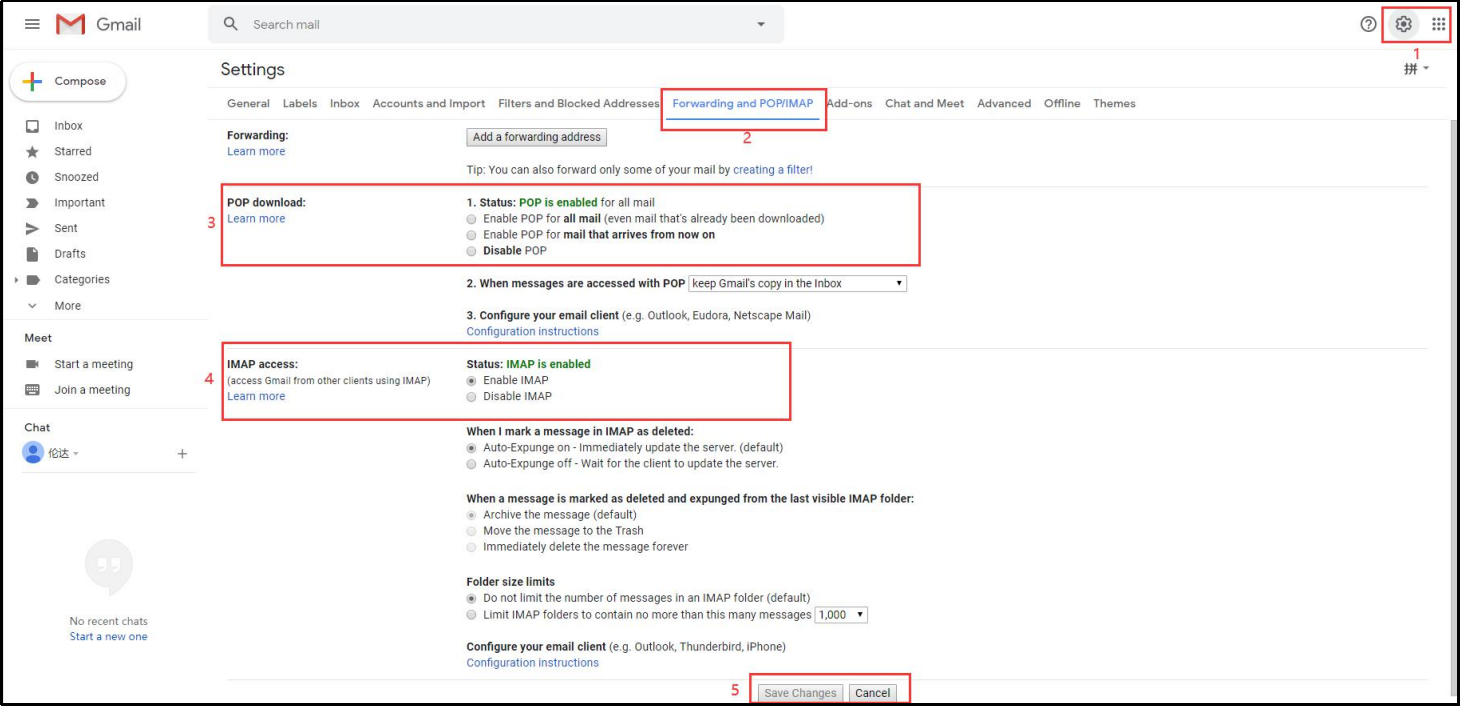
Step 1: Enable POP and IMAP in Gmail
- Log in to your Gmail account.
- Click Settings (gear icon) → See all settings.
- Go to Forwarding and POP/IMAP.
- Enable POP and IMAP.
- Click Save Changes.
Step 2: Access Google Account Management
- In Gmail, click your profile picture.
- Select Manage your Google Account.
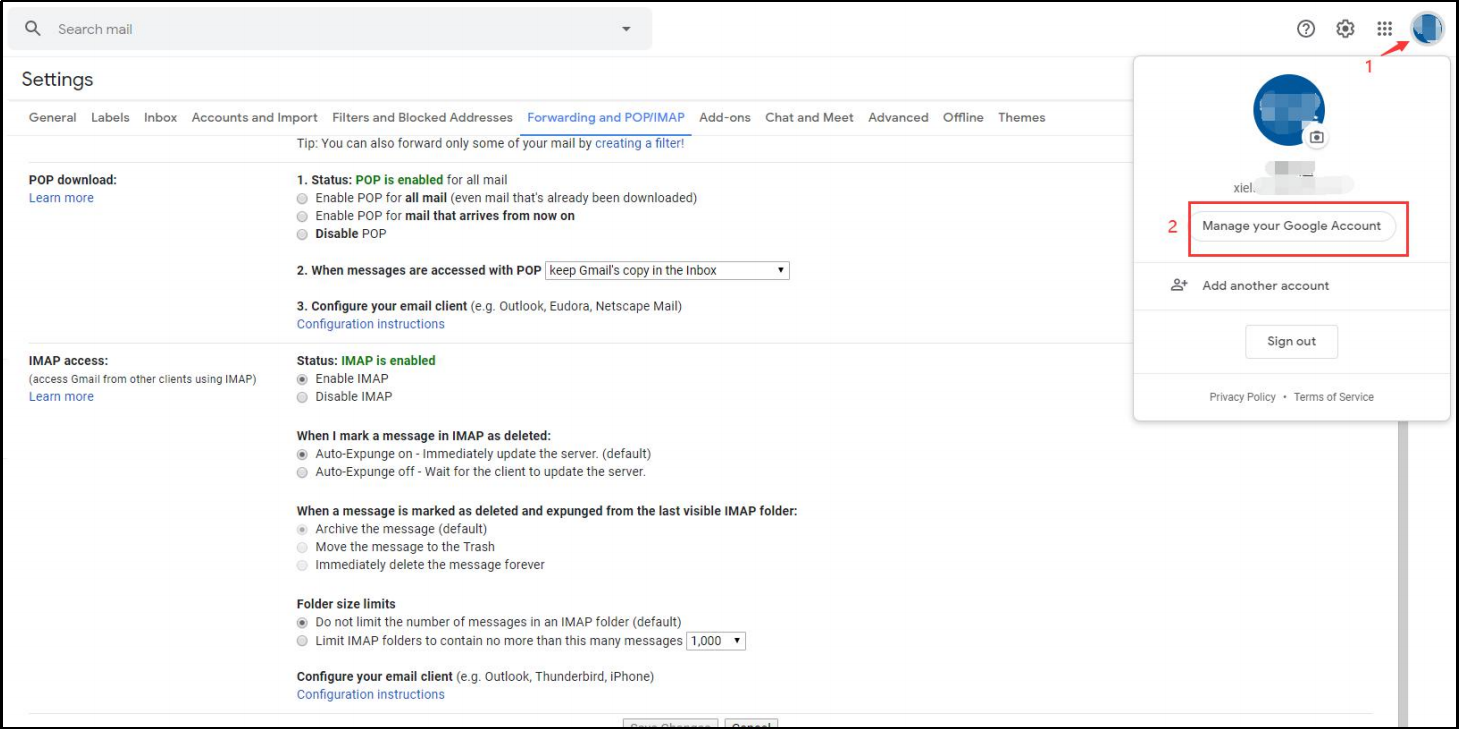
Step 3: Enable 2-Step Verification
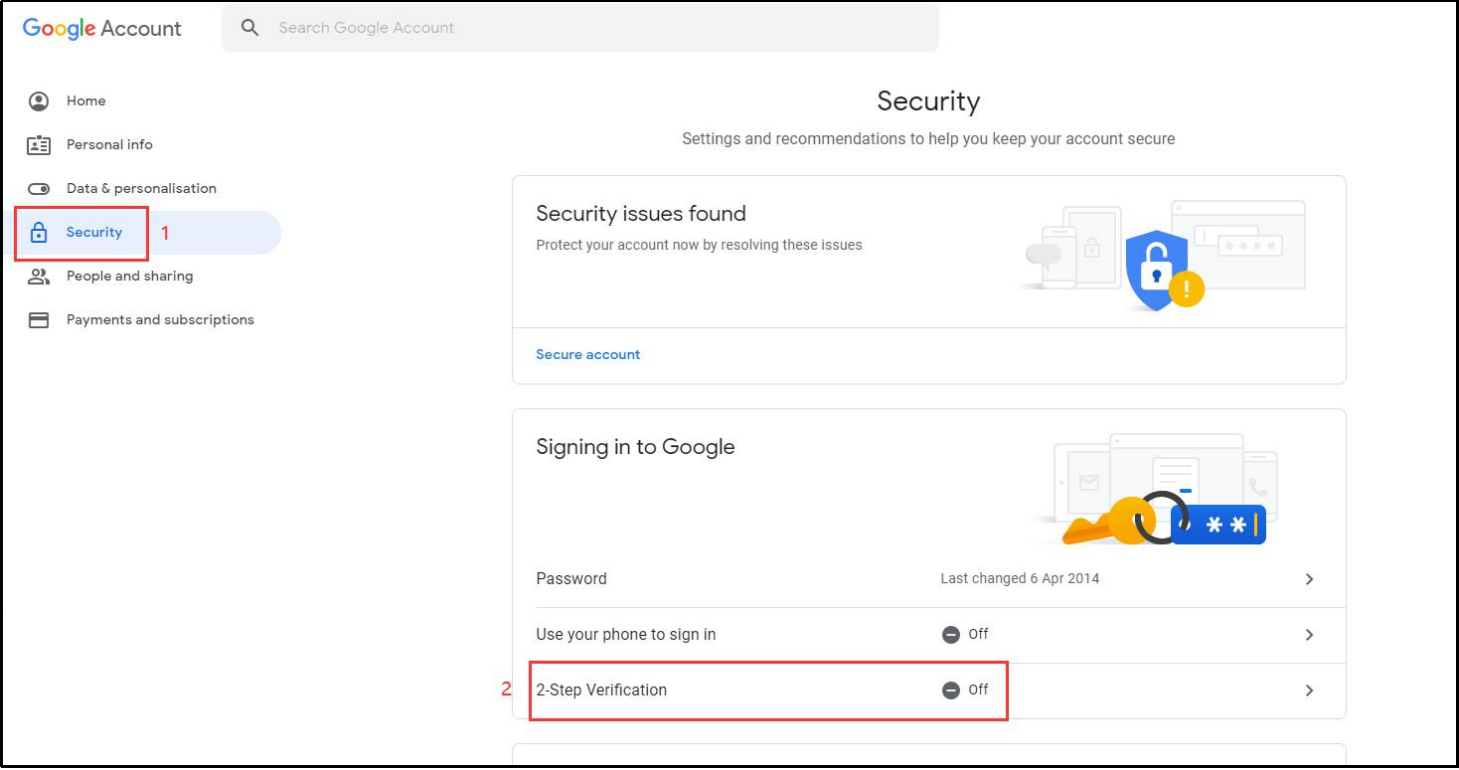
- Enter Security under Google Account Management.
- Locate 2-Step Verification.
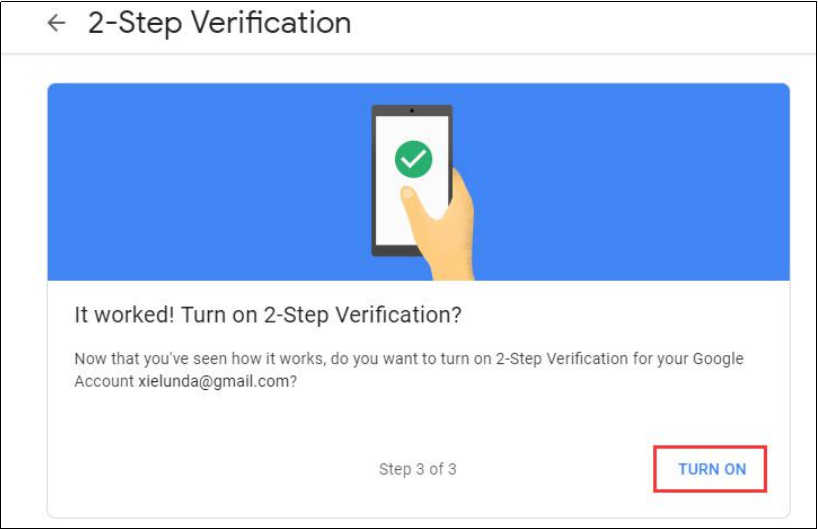
- Click Turn On and complete the verification process.
⚠️ Note: App passwords will not appear unless 2-Step Verification is enabled.
Step 4: Generate Gmail App Password
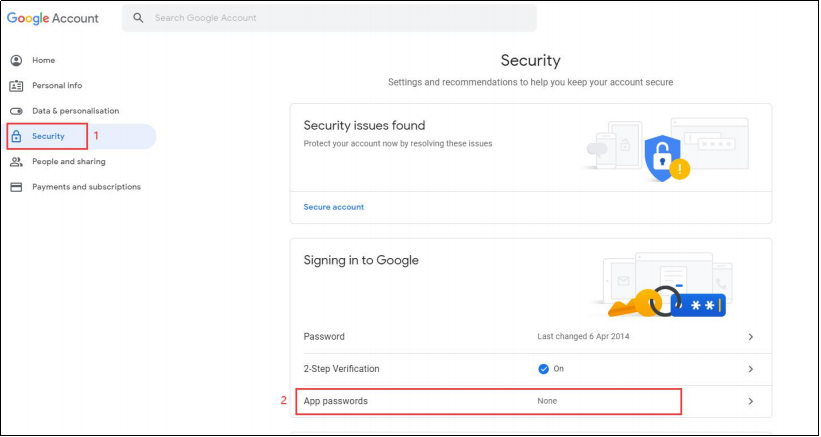
- Go to Security again.
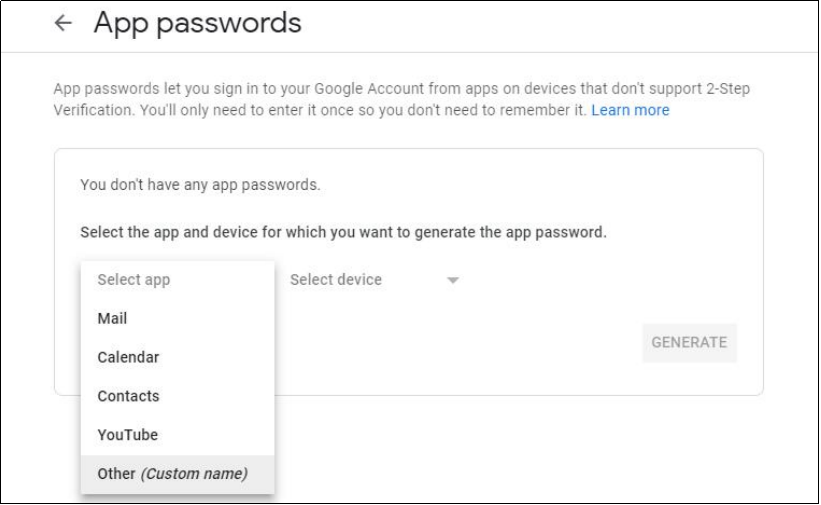
- Click App passwords.
- Select:
- App: Mail
- Device: Other (Custom name, e.g., “VIKYLIN Camera”)
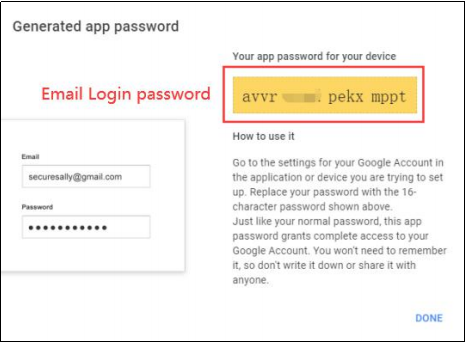
- Click Generate.
- Copy the 16-digit app password (this will be used in the camera SMTP settings).
Step 5: Log in to VIKYLIN Camera Web Interface
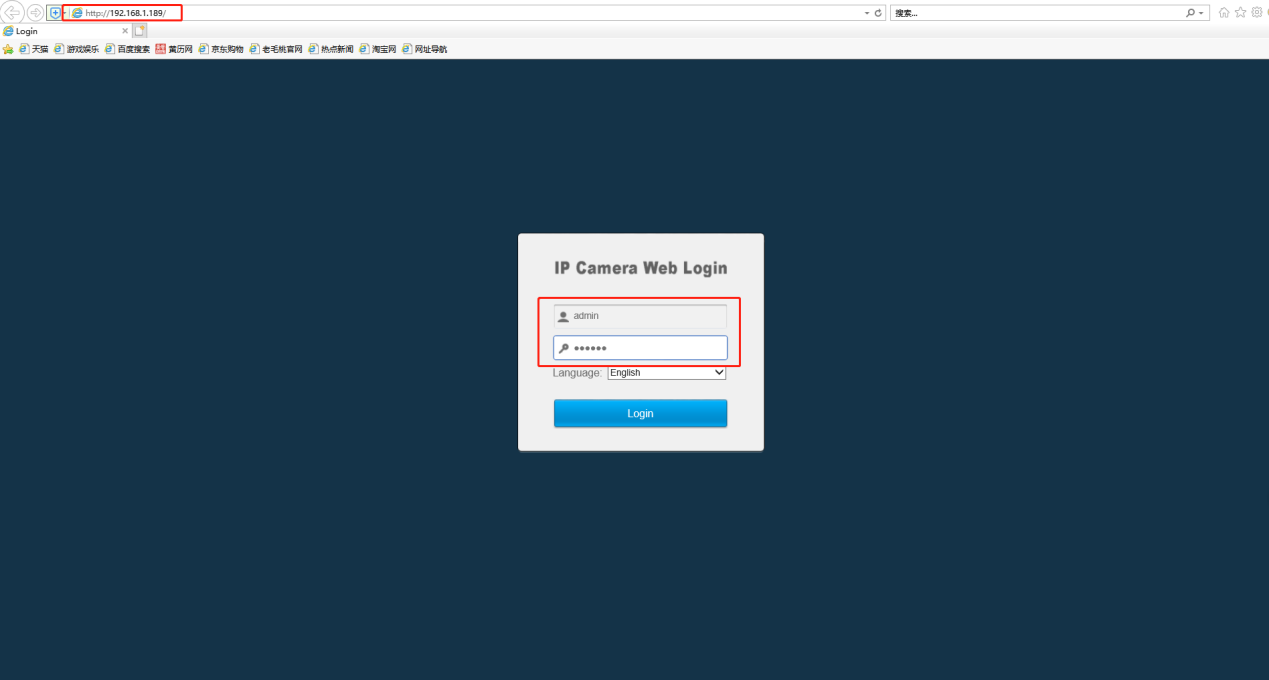
- Open Internet Explorer (IE browser).
- Enter the camera IP address.
- Log in using the camera username and password.
Step 6: Configure SMTP (Email) on the Camera
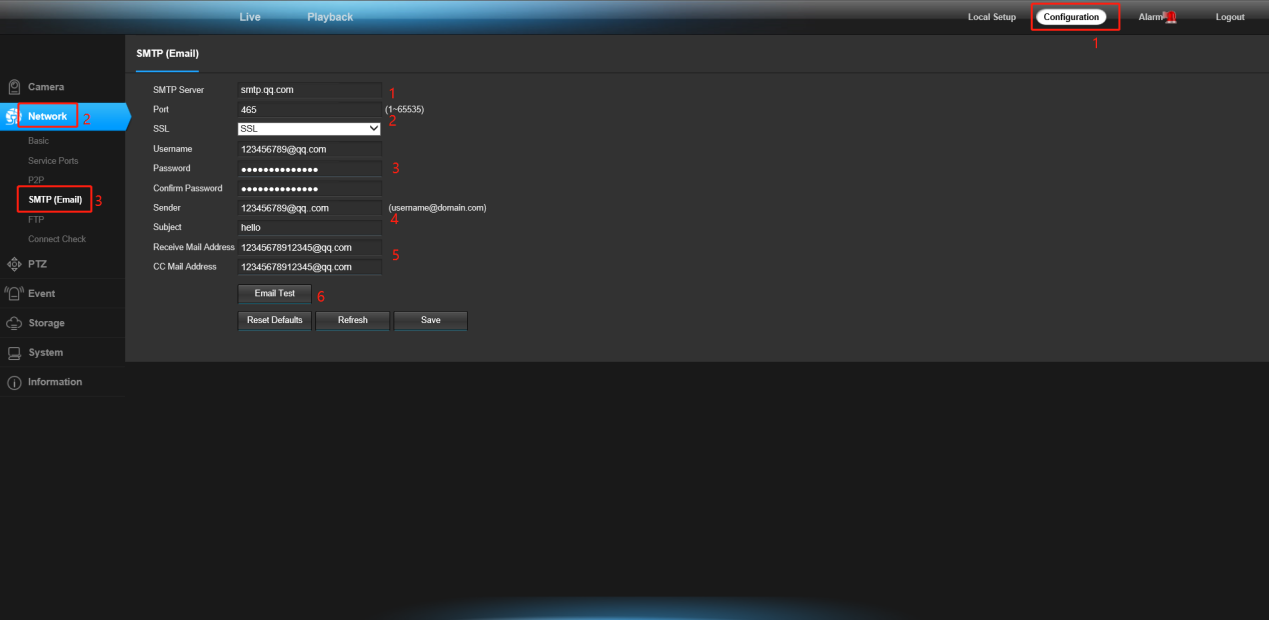
Navigate to: Configuration → Network → SMTP (Email), Fill in the fields exactly as follows:
- SMTP Server:
smtp.gmail.com - SSL Port:
465 - Email Address: Your Gmail address
- Password: Gmail App Password (not your Gmail login password)
- Sender: Custom sender name (e.g., VIKYLIN Camera Alert)
- Subject: Alarm Notification
- Receiver Email Address: Your receiving email
- CC Email Address: Optional
- Click Send Test Email: If successful, you will receive a test email in your mailbox.
Common Troubleshooting Tips
- Ensure SSL is enabled and port 465 is used.
- Always use a Gmail App Password, not the Gmail login password.
- Confirm POP/IMAP remains enabled in Gmail.
- Make sure the camera has correct DNS and gateway settings.
About VIKYLIN
VIKYLIN is a professional Hikvision authorized distributor and OEM security camera manufacturer, specializing in:
- PG Series IP Cameras
- OEM & ODM security camera solutions
- Custom logo and packaging services
- CCTV systems for residential, commercial, and industrial projects
With years of experience in the global surveillance market, VIKYLIN provides stable hardware, strict quality control, and professional technical support for partners worldwide.
Conclusion
By following this guide step by step, users can achieve a secure and fully functional email alert system using Gmail SMTP with app passwords.
If you are looking for OEM security camera solutions or bulk pricing, feel free to contact VIKYLIN today for product inquiry and professional support.